Turn every estimator into your best estimator

Scope generation for estimating teams.

  • Upload plans and specs and have bid packages created in minutes.
  • Conflicts caught immediately so potential RFIs are ready to send to design teams.

Share a project. See the demo with your own data.

SOC 2 · TYPE I AND II


Building the Future with Belidor
AECOMCORE ConstructionKillian Construction Co.Landry/French Construction

Every project burns the same hours and the same money.

Stacks of drawing rolls and paperwork with a clipboard, a folder and a calculator
Up to 75%Of an estimator's day spent on clerical work, not judgment.
A stack of rolled plans becoming a floor plan on a monitor
40+ hoursOf manual scoping per bid, by hand. About an hour with Belidor.
Steel beam-to-column connection with a revision cloud around a missed bolt
$10K to $100K+The cost of a single missed scope item on a commercial bid.

Scope generated in minutes,
in the tools you already use.

Cited, line by line.

We read drawings and text, with every item cited to its drawing or spec page.

Conflicts caught before they cost you.

Where drawings and specs disagree, the item is flagged with both sources.

Bid packages are customized to your team.

Send bid packages to BuildingConnected in one click, or export to Excel.

Belidor is easy to use and browser based.
You'll be an expert in less than one day.

Upload plans and specs

Any format works. PDF, DOCX, or even scans with markups.

Get your bid packages in an hour on average

Every page and drawing is reviewed by our AI, and each line item is cited to the source.

An estimator reviews it

During your pilot, a Belidor estimator checks how the scope is organized, so we can configure it to your preference.

Review, edit, export

Edit any bid package or scope item, then export to Excel, PDF or Word, or push to BuildingConnected for the ITB.

Every scope item linked, every conflict cited.

  • Our AI reads drawings and text
  • Every line has a citation which links to the plan or spec
  • Conflicts have links to both the specs and plans for review
  • Edit any line, add your own items, and citations

How accurate is it?
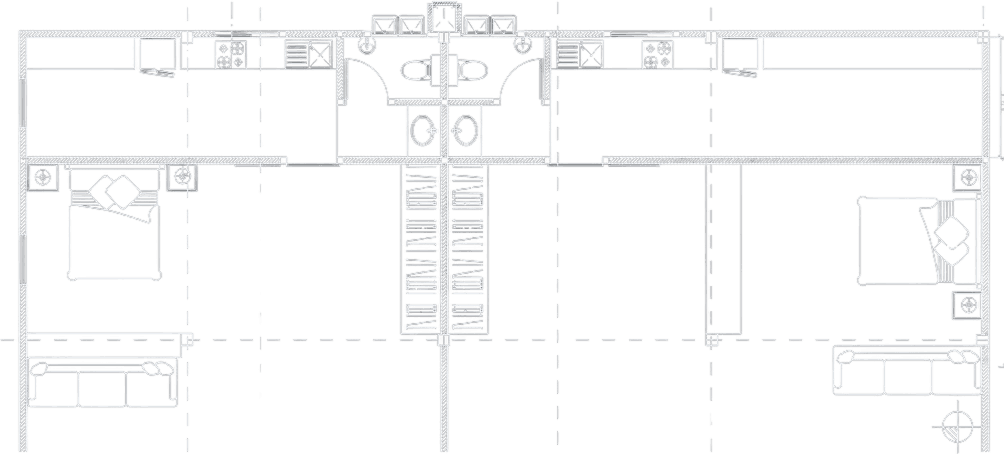
Floor plan of two mirrored apartments from a drawing set
Under 1 hourfor an estimator to review and approve the scope, with minimal changes or edits.
Our AIreviews the whole document set in detail.
Youdo a thorough review of the project and verify scope.

What it looks like in practice.

  • 2 h or less
    from uploading plans and specs to exporting to BuildingConnected
  • SOC 2
    Type I and Type II
Blake Lahr
Blake Lahr
Senior Estimator, Killian Construction Co.
It got us our RFIs quicker than we would have found them, which got them to the architect quicker and got our answers back. We used it as our bid comparison. It turned a week’s worth of work into one day, on a really complicated project. We still proofread it and changed some things to match what our company wants to see, but it did a really good job.

Blake Lahr, Senior Estimator, Killian Construction Co.
Brandon Purrington
Brandon Purrington
Senior Estimator, Landry/French Construction
When I have RFIs to get in, I go right to the conflict log. Belidor lets me quickly figure out the assumptions I want to make, and it pulls all those conflicts forward, which is really great. I’m excited about the capabilities and it was helpful for me immediately on day one.
Brandon Purrington, Senior Estimator, Landry/French Construction

Built for one job.

Generic AIBelidor
Reads every pagePartialThe whole set
Reads drawings and markups the way an estimator doesSees the image, misses the contextRead against every related drawing and spec
A citation on every scope lineNoDrawings and specs
Conflicts and alternates flaggedNoYes
Pushed to BuildingConnected, exported to Excel, PDF or WordCopy and pasteOne click
The same structure on every project, across the teamStarts over each timeRepeatable, team-wide
What happens to your documentsConsumer termsYour terms, never used for training

Built close to the work.

Stefanie K.

Construction subject matter expert

Marc A.

Co-founder, CEO

Baptiste G.

Co-founder, CTO

Amir K.

AI engineer

Arnaud C.

Full stack developer

SOC 2 · TYPE I AND TYPE II

Your documents stay yours.

Bid sets are confidential. Here is what happens to one when you send it to Belidor.

  • Encrypted in transit and at rest, on servers in the US.
  • Processed under terms that exclude training on your data.
  • Deleted when you delete the project, or on request.

Common questions.

Still curious? Our team is happy to walk through any of this on a call.

Does Belidor read drawings?

Yes. It reads the drawings themselves, including plans, elevations, details and schedules, alongside the written specs, and cites the drawing and page behind every line it writes.

Can I mark up drawings in Belidor?

No. Markup stays in the tools you already use. Belidor reads sets that carry markups and clouds, and takes what they say as part of the set.

What phase of drawings does Belidor work with?

Construction documents and design development sets. You can run a schematic set too, but the scope will be thinner: with less in the documents, more lines come back flagged rather than cited. The further along the set, the more of the scope Belidor can cite.

Is Belidor browser based or a desktop app?

Browser based. Nothing to install and nothing for IT to roll out: you sign in, and your projects are there.

What AI does Belidor use?

A combination of large language models and our own engineering around them. The models do the reading. The rest is ours: which documents get read against which, how your bid packages are structured, and the citation behind every line.

How long does a scope take?

Less than an hour to process a set, and about an hour of your own review against the pages each line cites. Two hours or less from uploading the documents to exporting the bid packages.

What file types are supported?

In: the plan and spec set as PDF, including scanned sets, and DOCX. Out: pushed straight to BuildingConnected, or exported as Excel (.xlsx), PDF or Word (.docx).

Can I edit the scope before I export it?

Yes. Edit any cell, move items between packages, add or delete lines, then push to BuildingConnected or export to Excel. Items you add are cited the same way as the rest.

How do I get started, and what does it cost?

Book a demo. We scope your first project together. Plans are priced per organization, with no limit on the number of projects you run or the size of the documents, and we walk you through the numbers on the call.

Is my data secure in Belidor?

Yes, and Belidor is SOC 2 Type I and Type II. Your sets are encrypted in transit and at rest on servers in the US, processed by named providers under terms that exclude training on your data, and deleted when you delete the project or on request. Ask for the security report from the Security section; we send it under NDA.

Share a project with a scope you wrote by hand to compare to Belidor’s on a demo call.